A link opening successfully is only one check. It can still contain an old campaign value, an accidental duplicate, or a UTM string placed after the fragment marker. When the URL looks plausible but the labels are wrong, start by reading its structure instead of repeatedly pasting it into a browser.
URL Parser inspects text locally. It does not fetch the destination, follow redirects, or tell you whether analytics recorded a visit. Use it to establish what the URL itself says.
Start with the exact link that will be shared
Copy the full link from the actual email draft, placement note, or design source. A screenshot is not enough: small differences in punctuation or encoded characters can be hard to see. Preserve the original somewhere before attempting corrections.
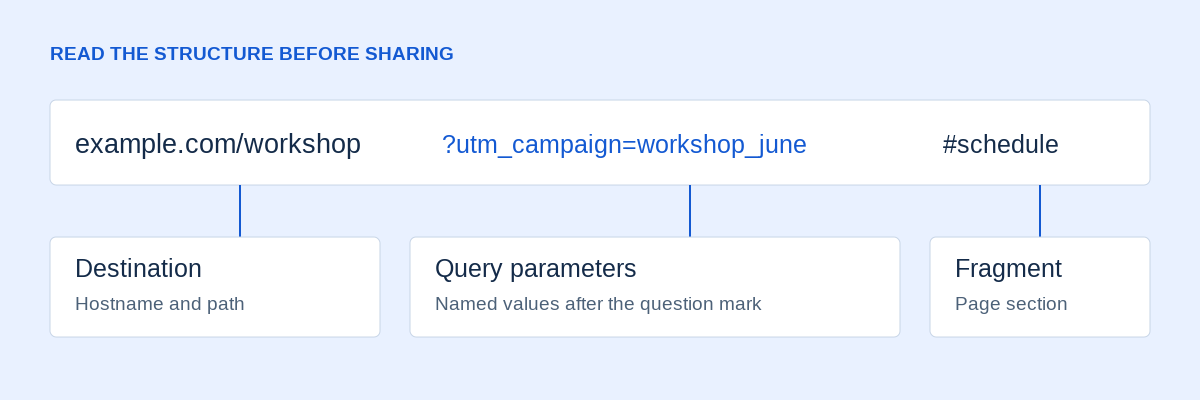
https://example.com/workshop?ticket=guest&utm_source=member_newsletter&utm_medium=email&utm_campaign=workshop_june#scheduleFor this example, look for hostname example.com, path /workshop, query value ticket=guest, three UTM values, and fragment schedule. The example is a text fixture, not a claim that this destination is live.
Read the URL in a fixed order
- Check scheme and hostname. A missing hostname, a typo, or a scheme you did not expect should stop the handoff.
- Check the path. A correct campaign label cannot fix a link to an old landing page.
- Read each query name and value against the approved naming sheet.
- Check whether the original destination already had query parameters that need to remain.
- Read the fragment separately. It can select a page section, but it is not the normal place for campaign query parameters.
A question mark starts the query; ampersands separate its values. A hash starts the fragment. If UTMs were pasted after #schedule, a reader may still reach the page while the supposed query values are only part of the fragment text.
Look for duplicate and encoded values
If you see utm_campaign=old_launch and utm_campaign=workshop_june in the same URL, stop and resolve the duplicate. Different systems can interpret repeated query keys differently. The parser’s display is not a guarantee about which value your analytics stack will use.
Encoded characters can be valid. For example, %20 represents a space in common URL encoding, and a literal ampersand inside a value must be encoded rather than treated as a separator. Avoid manually replacing all encoded characters. Compare the intended value with the parser output and rebuild from the clean destination when necessary.
Do not manually encode an entire finished URL and paste that result into the builder as if it were the original destination. Double encoding can turn meaningful characters into literal text.
Rebuild from a clean reference
- Find the approved base URL and its required existing query parameters.
- Open UTM Builder. Enter the approved source, medium, and campaign instead of editing an unclear link repeatedly.
- Copy the new output into URL Parser and compare every value again.
- Keep the corrected URL with the placement name, and replace the old one everywhere it was handed off.
Know what still needs a separate check
A structurally correct URL may redirect, return an error, or point to a page without the expected tracking setup. Those are separate checks. Neither this parser nor the builder validates live HTTP status, redirect behavior, consent settings, analytics events, or reporting attribution.
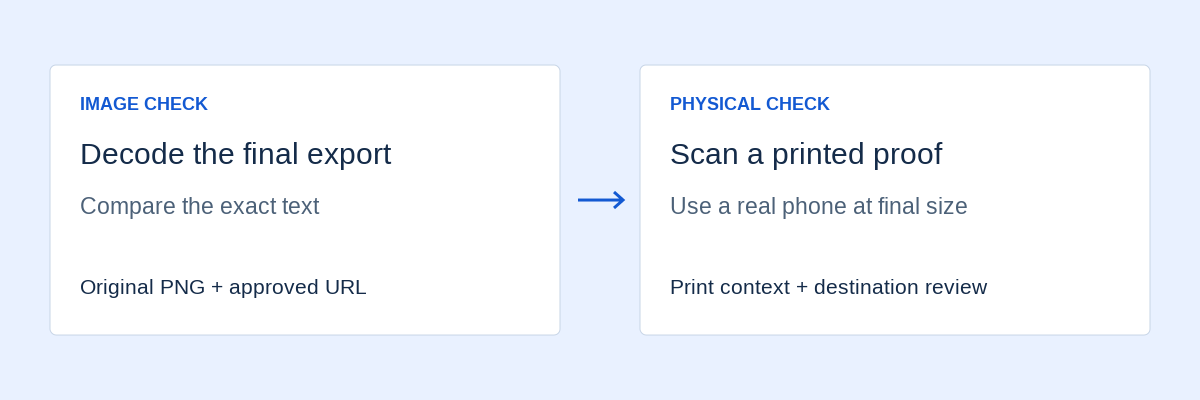
For a printed placement, generate a new QR only after the URL is approved. If a QR image already exists, use QR Decoder to read it back. Updating a placement note does not change the text encoded in a static PNG.